![Zeck-blocks-100-3.png]](https://help.zeck.app/hs-fs/hubfs/Zeck-blocks-100-3.png?height=50&name=Zeck-blocks-100-3.png)
Included in this article:
1. Viewing Section History
Section History allows you to view previous versions of an individual section in your Zeck.
From the Section Editor
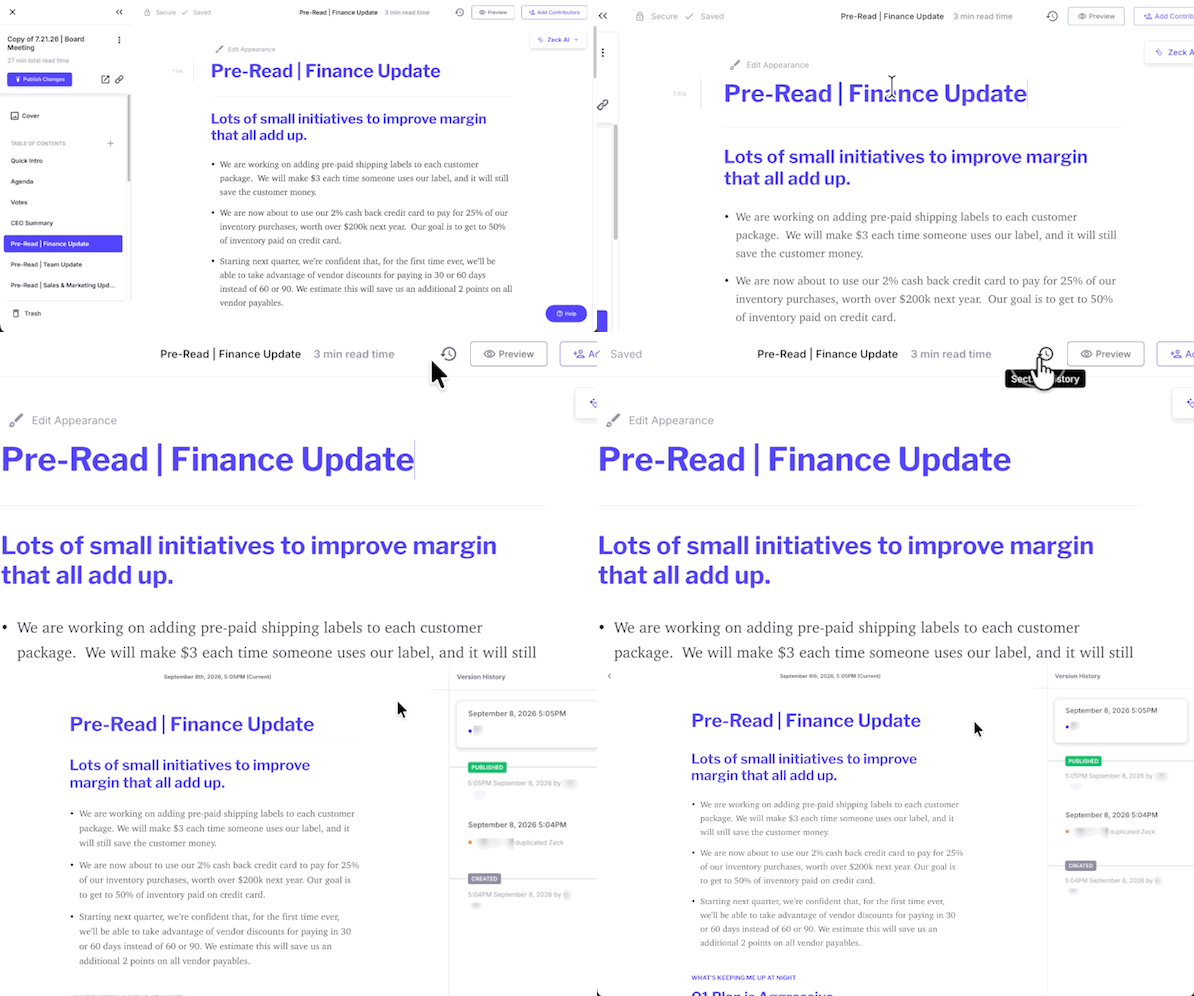
When you’re already editing a section, click the History icon in the top-right corner of the editor.
From the Table of Contents
You can also access Section History directly from the Table of Contents:
-
Find the section you’d like to review.
-
Click the three dots next to the section name.
-
Select Section History.
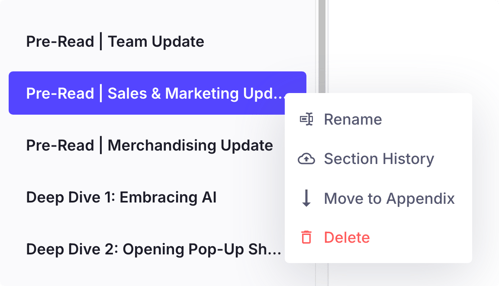
Both options will open the history for that specific section, where you can view its previous versions.
2. Reviewing Previous Versions
Each version in Section History gives you a look at how that section appeared at a previous point in time.
You’ll also be able to see:
-
When the version was created
-
Who made the changes
Simply select a version to review the content from that point in the section’s history.
This makes it easy to look back at previous edits and see how a section has changed over time.
3. Restoring a Previous Version
Found the version you were looking for? You can restore it directly from Section History:
-
Open Section History for the section.
-
Select the version you’d like to restore.
-
Click Restore this version.
- Click Restore.
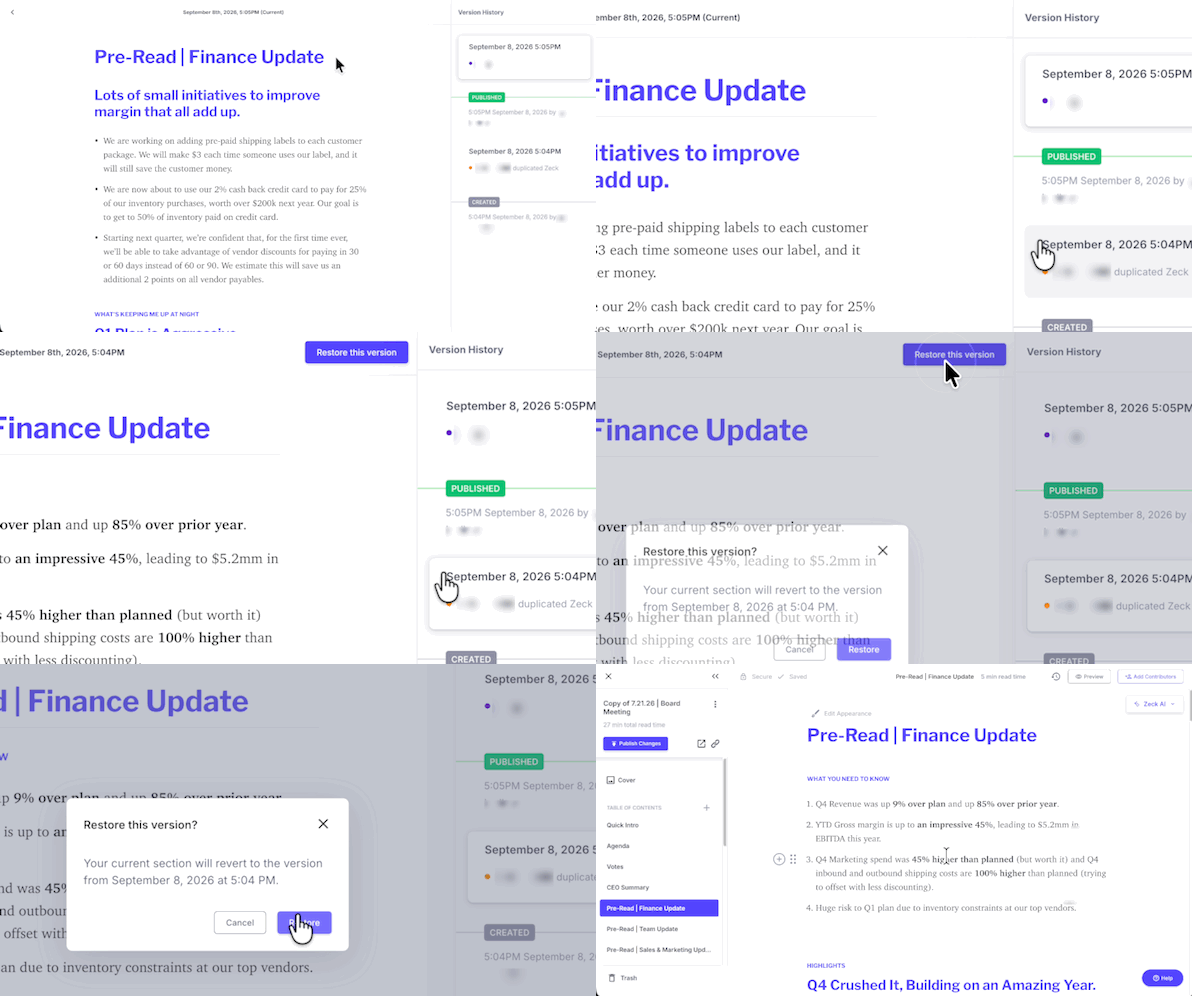
The selected version will then be restored to your section.
💡 Worth Mentioning: Restoring a previous version can be especially helpful if content was accidentally deleted, changed by mistake, or if you simply need to return to an earlier version of a section.
4. Who Can Restore a Previous Version?
Admins, Zeck Owners, Section Owners, and Contributors can restore previous versions of a section.
5. A Few Things Worth Knowing
There are a couple of things to keep in mind when using Section History:
-
Versions are grouped into 10-minute editing intervals for each user. Multiple edits made by the same person within a 10-minute period may appear as a single version.
-
Section History begins from the release of this feature in September '26. Edits made before the feature went live will not appear in Section History.
- For smaller and quicker restoration, try using keyboard hotkeys to Undo.
More on hotkeys here.On a Mac? Type: Command + Z On a Windows PC? Type: Control + Z
💡 Worth Mentioning: Section History is specific to each individual section. When viewing the history of a section, you’ll only see previous versions of that particular section.
👋 Need more help? Reach the Zeck Customer Success Team directly at success@zeck.app.